


Disclaimer: The content on Sprout Upward is designed to encourage intentional family leadership. I am a mom of two and a former youth worker sharing my real-life experiences, not a licensed therapist or medical professional. These guides adapt my professional team management background to daily home life. Please consult your pediatrician for any clinical, medical, or psychological advice regarding your child.
When I take my daughter’s phone away, sometimes she cries.
Sometimes she gets angry, slams things down, and refuses to look at me.
I know I’m not the only parent who has been through this.
The moment you say “time’s up,” it can feel like you’ve declared war in your own living room.
But here’s what I’ve learned after months of daily battles: setting screen time rules for 8-year-olds does not have to feel like a war.
When you stop reacting and start leading with a plan, the drama shrinks.
The fights get shorter.
And eventually, they stop altogether.
This article walks through the exact 10 strategies our family uses to manage screen time without fighting — no yelling, no phone-snatching, no tears (most of the time).
Key Takeaways
- Calling the device “Mom’s phone” or “the family tablet” instead of “your iPad” shifts ownership and reduces resistance.
- The When/Then method (“when your homework is done, then you earn screen time”) removes daily negotiation from the equation.
- Parental control tools like Apple Screen Time and Google Family Link let the timer be the bad guy — not you.
- Tech-free zones at home (dining table, bedroom, bathroom) create natural, predictable limits that children adjust to over time.
- Modeling your own boundaries out loud teaches self-regulation better than any rule you can set.
- Co-playing or co-watching turns screen time into connection instead of isolation.
- Explaining why screens are designed to be addictive, at a child’s level, builds long-term digital awareness.
- The goal is not to ban technology but to raise a child who understands balance — that is the foundation of digital literacy for children at home.
Why Managing Screen Time Without Fighting Is So Hard Right Now
Managing screen time is the ultimate modern parenting challenge.
Every parent today knows the dread of the “screen-time tantrum” — the crying, the bargaining, the sulking when it’s time to put the device down.
And it makes sense that children react this way.
The apps and games they use are designed by teams of developers whose entire job is to make the experience as irresistible as possible.
Your child is not being dramatic.
She is responding to something engineered to hook her brain.
That does not mean you give in.
It means you need a strategy stronger than willpower — for both of you.
Instead of shouting or snatching the phone away, which leaves everyone frustrated and emotionally drained, here are 10 science-backed, family-tested strategies that actually work.
Part 1: Setting the Mindset and Household Rules
1. Frame It as “Mom’s Phone,” Not “Her Phone.”
Words matter more than we realize.
One of the simplest shifts that changed everything in our house was how we talk about the device itself.
I stopped calling it “your iPad” or “your phone.” Instead, I started saying “Mom’s old phone” or “the family tablet.”
It sounds like a small thing, but it completely changes the ownership dynamic.
When she sees it as hers, giving it back feels like a loss.
When it belongs to Mom and Dad, returning it is just following a rule.
The script I use: “Mom is going to lend you her phone for 20 minutes.”
The rule that comes with it: Because it belongs to Mom and Dad, she must return it immediately when asked.
Before I hand it over, I get her agreement.
Then, two to five minutes before time is up, I give a warning: “I need my phone back to call Grandma in three minutes.”
That heads-up dramatically cuts down on the meltdown.
She is not caught off guard, and the transition feels fair.
2. The “Public Spaces Only” Rule
One of the most effective screen time rules for 8-year-olds — and honestly for any age — is establishing where devices are allowed in the house.
In our home, the rule is simple: devices can only be used in open areas like the living room or kitchen.
Never in the bedroom. Never in the bathroom.

To make this rule stick, I did something memorable early on.
I took an old, broken phone and staged a “dropped in the toilet” accident.
I showed my daughter the water damage and said, “See?
This is why electronics aren’t allowed in the bathroom. Now it’s broken forever.”
It sounds dramatic, but it worked.
She has never tried to sneak the phone into the bathroom since.
And the bonus?
No more sneaky usage in rooms where you cannot see what she is watching.
3. Create Tech-Free Zones at Home (Starting With the Dining Table)
Tech-free zones at home are one of the most practical boundaries a family can set — and the dining table is the best place to start.
Meals are for food and conversation.
That is the rule, and it is non-negotiable.
One thing I highly recommend to every parent: print out a visual daily schedule with pictures and text showing the activities for the day — Reading, Chores, Eating, Playing, Homework — and hang it next to a wall clock.
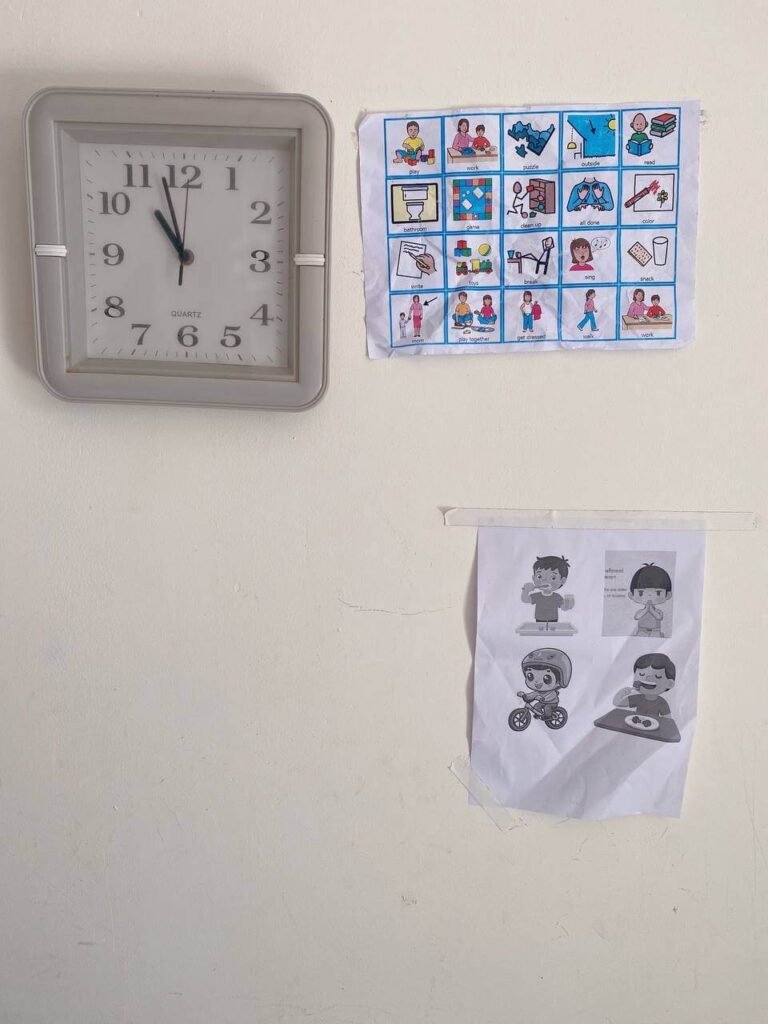
At first, it is hard for an 8-year-old to track time on her own.
But seeing the schedule every day helps her naturally understand when it is time to play and when it is time to rest.
After a few weeks, she started checking the chart herself.
Bonus tip: Keep the car tech-free too.
Let your child look out the window, notice the world, and daydream.
That kind of unstructured thinking time is genuinely good for a developing brain, and it costs nothing.
4. Enforce a Consistent Tech Curfew
Our evenings usually end with some studying together, and we occasionally use the phone to look up a quick fact or watch a short educational video to unwind.
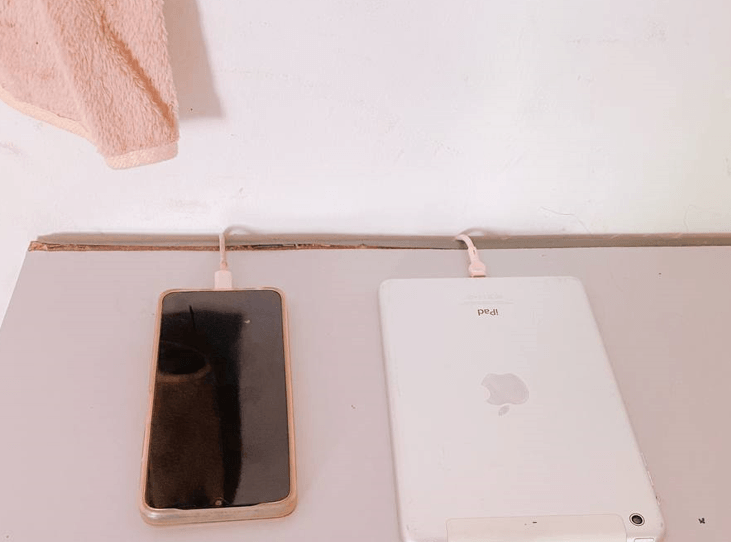
But no matter what, all devices go off and get placed in a central charging station — away from the bedroom and the play area — at least one to two hours before bed.
The reason behind this rule is straightforward: screens before bed interfere with sleep quality.
The light from a phone screen signals the brain to stay alert, making it harder to fall asleep and harder to stay asleep.
A consistent tech curfew protects her sleep, and honestly, it protects yours too.
The charging station location matters.
If it is in her room, it becomes a temptation.
Put it in the kitchen or living room and make plugging it in part of the bedtime routine.
5. Screen Time Is a Reward, Not a Right
This mindset shift is foundational.
Screen time in our house is something she earns, not something she is automatically owed.
The tool we use is called the When/Then method, and it is one of the most effective screen time rules for kids. Instead of saying “no screens until I say so” (which invites arguments), you say: “When your backpack is packed, your room is tidy, and you have read your book for 20 minutes, then you can earn your screen time.”
The When/Then method removes the daily negotiation.
She knows exactly what she needs to do and what she gets in return.
There is no room for “but why not?” because the answer is already built into the system. When A is done, then B happens. Simple, consistent, and calm.
Part 2: Using Technology and Connection to Build Better Habits
6. Let Parental Controls Be the “Bad Guy.”
Here is a truth every parent needs to hear: you cannot rely on an 8-year-old’s self-control to stop a well-designed app.
The algorithms running those apps are built by teams of people whose job is to make stopping feel impossible.
Fighting that with willpower alone is not a fair fight.
The smarter move is to set up parental controls and let the timer do the enforcing.
Tools like Apple Screen Time and Google Family Link let you set hard daily limits — say, 20 minutes — and when the time runs out, the screen locks automatically.
The phone becomes the bad guy.
You stay the calm parent.
How I use this in practice: When the screen goes dark, I say, “Oh, look, the automated system locked it because Mom has an incoming call.
Time to give it back.” Since she agreed to the terms before I handed it over, she gave it back without a fight.
There is no one to argue with. The phone did it, not me.
If you want to learn how to use Apple Screen Time for kids step by step, Apple’s built-in settings let you schedule downtime, set app limits by category, and prevent changes with a passcode.
Google Family Link works similarly for Android devices and gives parents a real-time view of what apps are being used and for how long.
7. Co-Play and Co-Watch (Turn Isolation Into Connection)
One of the most common mistakes parents make with screen time is treating it as something the child does alone while the parent does something else.
That approach not only leaves you out of the loop on what she is watching — it also turns screen time into a solitary, passive activity.
My daughter loves playing coding games on Kids Code.
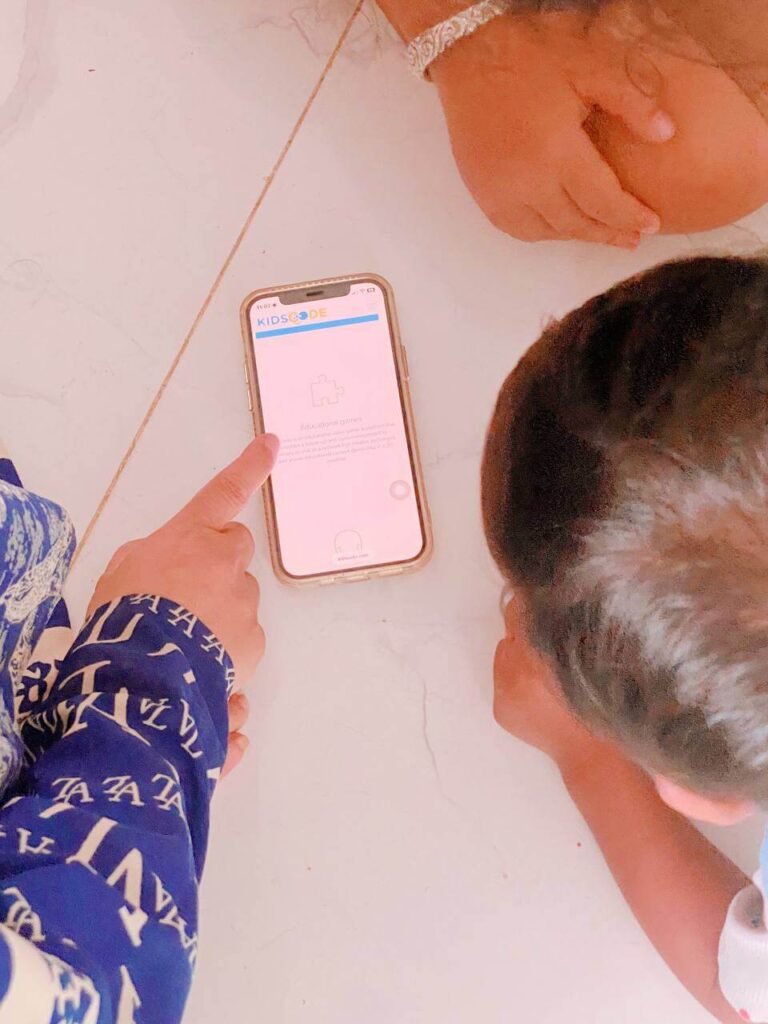
My approach is to sit right next to her and ask her to be my “teacher.”
She proudly explains how to drag the shapes, align the corners, and clear the levels.
She teaches me.
I learn what she is into. And I can quietly monitor exactly what she is consuming.
Co-watching or co-playing does two things at once: it keeps you connected, and it transforms screen time from isolation into interaction.
That is a very different experience for her brain than passively scrolling.
8. Explain the Science (Talk About the “Why”)
Children at this age are smarter than we sometimes give them credit for.
Instead of just saying “screens are bad,” try explaining the actual reason at a level she can understand.
The script I use: “Did you know that game developers hire scientists to design these apps to influence dopamine and trick our brains into never wanting to stop?
My biggest job as your mom is to protect your brain and keep it strong.
That’s why we take breaks.”
She finds this genuinely interesting.
She is not being told off — she is being let in on a secret about how the adult world works. This approach plants the seeds of real digital literacy for children.
When she understands why the limits exist, she is far more likely to accept them.
9. Model the Behavior You Want to See
Children are mirrors.
If you are telling her to put the device away while you scroll through your own phone at the dinner table, the rule crumbles.
She sees the contradiction immediately, even if she does not say so.
I try to model the behavior I want by saying my own limits out loud: “Wow, I have been on my phone too much today.
I am going to leave it in the kitchen so I can focus on reading a story with you.”
That kind of visible self-discipline teaches her more than any rule.
She watches you navigate your own relationship with technology every day.
Make it worth watching.
10. The Ultimate Reset: Physical Play
When the screen-time cravings are still running strong, and nothing else is working, the best move is a full pivot to high-energy family fun.
Our favorite trick: my husband drops down on all fours, pretends to be a cow, and gives her a wild “cattle ride” around the living room.

She gets so swept up in the laughter and the movement that she completely forgets about the screen.
No negotiation needed. No rules to enforce.
Just her laughing so hard she can barely breathe.
Physical play resets the nervous system in a way that no calm conversation can.
When you make it silly and unpredictable, it becomes something she wants more than whatever was on the screen.
A Note on the Bigger Goal
Our goal as parents is not to ban technology.
It is part of her world, and pretending otherwise does not help her.
Our real goal is to raise a child who understands balance, who can make smart choices about her own screen use, and who grows up with real digital literacy — the kind that comes from being guided, not controlled.
When you manage screen time without fighting, you are doing more than reducing tantrums.
You are teaching her that some things in life have limits, that earning privileges feels good, and that she can trust you to be fair and consistent.
Those lessons go far beyond the phone.
Enforce these boundaries with firmness and warmth, and she will grow up with habits and a relationship with technology that actually serve her.
Frequently Asked Questions
How much screen time should an 8-year-old have?
While I used to track hours, I learned that in 2026, organizations like the American Academy of Pediatrics moved away from strict hour counts and toward a quality-focused framework. The key questions are whether the content is age-appropriate, whether it is interactive or passive, and whether it is replacing more important activities like sleep, physical play, or time with family. For most 8-year-olds, 20 to 60 minutes of quality screen time per day is a reasonable starting point.
My child throws a tantrum every time I take the phone away. What do I do?
If your child throws a tantrum, stay calm, do not debate, and let the parental control app lock the device. To prevent tantrums before they start, give a two-to-five-minute warning before time is up.
Get agreement before you hand the device over: “When I ask for it back, you give it right away.” Use a parental control timer so the phone locks itself — when the device is off, there is no person to argue with. If the tantrum still happens, stay calm, do not debate, and move toward physical activity or a completely different task.
What are the best tech-free zones to set up at home?
Start with the dining table and the bedroom. The dining table is for family time and conversation. The bedroom is for sleep, and screens in bedrooms consistently disrupt sleep quality in children. Once those two zones are established, consider the bathroom and the car as well. Consistency matters more than the number of zones you set.
How do I use Apple Screen Time or Google Family Link for my child’s phone?
On an iPhone, go to Settings, tap Screen Time, and turn it on for your child. You can set daily app limits by category, schedule downtime hours when the phone locks, and set a Screen Time passcode so your child cannot override the limits. Google Family Link works on Android and offers similar features: app controls, daily limits, location sharing, and a parent dashboard showing what apps were used and for how long. Both tools are free.
What if I am also on my phone too much? Will that undermine the rules?
Yes, it will. Children learn behavior primarily by watching adults, not by following instructions. If you are setting phone limits for your child while spending hours on your own screen, she will notice the double standard. Try narrating your own limits out loud — “I am putting my phone away now so I can focus on us” — so she can see and hear your self-regulation in real time.
